Skip to content
View in the app

A better way to browse. Learn more.

Quit Train, A Quit Smoking Support Community

A full-screen app on your home screen with push notifications, badges and more.

To install this app on iOS and iPadOS
  1. Tap the Share icon in Safari
  2. Scroll the menu and tap Add to Home Screen.
  3. Tap Add in the top-right corner.
To install this app on Android
  1. Tap the 3-dot menu (⋮) in the top-right corner of the browser.
  2. Tap Add to Home screen or Install app.
  3. Confirm by tapping Install.

Wednesday 20th June 2018

Featured Replies

Bit late today. But I did get around to it. OK so, lets see what's in the bag of specialness today... Its World Refugee Day... Its World Productivity Day...then on the US front we have lots of choice, some will not be appreciated by some members but you never no someone might be into them... we both IceCream Soda Day (In Aus we call these Spiders, and as a kid a Lime Spider was always the best)...we have Vanilla Milkshake Day....or we have American Eagle Day and its at this time I have to have a giggle at the great and powerful American Eagle of Freedom... and think, yep ours is bigger and better.....


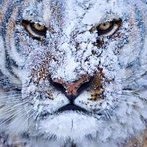
mwp2k2L.jpg


So to a day without stirring the pot or filling my body with poison I say:


NOPE


TOPIC OF THE DAY: Childhood Favourites (songs, toys, food, people, activities, places, movies, tv shoes, you get the idea)


Every Nope day is a happy day.

Join the conversation

You can post now and register later. If you have an account, sign in now to post with your account.

Guest
Reply to this topic...

Account

Navigation

Search

Search

Configure browser push notifications

Chrome (Android)
  1. Tap the lock icon next to the address bar.
  2. Tap Permissions → Notifications.
  3. Adjust your preference.
Chrome (Desktop)
  1. Click the padlock icon in the address bar.
  2. Select Site settings.
  3. Find Notifications and adjust your preference.