Skip to content
View in the app

A better way to browse. Learn more.

Quit Train®, A Quit Smoking Support Group

A full-screen app on your home screen with push notifications, badges and more.

To install this app on iOS and iPadOS
  1. Tap the Share icon in Safari
  2. Scroll the menu and tap Add to Home Screen.
  3. Tap Add in the top-right corner.
To install this app on Android
  1. Tap the 3-dot menu (⋮) in the top-right corner of the browser.
  2. Tap Add to Home screen or Install app.
  3. Confirm by tapping Install.

Saturday 8th September 2018

Featured Replies

G'day

count me in .....NOPE

C


Nope!


Saturday hugs are new. Think I like it.

OK... self pity party over... time to NOPE... still today, just....


So today is ...


Star Trek Day .... NOPE

World Literacy Day ... NOPE

Pardon Day ... NOPE


Wait a second.... Star Trek Day ... lets give that a nod... because Star Trek was/is SMOKE FREE and endorsed the NOPE on set and on screen... so for a show made in the 60's this was pretty progressive and bucked the norm and the sponsors.... so woohoo Star Trek and thank you Gene Roddenberry for showing the world that in the future we will be smoke free ;) .


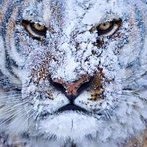
nope.jpg


NOPE ... not gunna.


NOPE


image.png.f2b62a9d066108c63afc164c248d66f6.png


8 hours ago, Sierra said:

NOPE for day 19!

Nice job Sierra! Those "smoke-free" days are piling up now! Keep marching!

Join the conversation

You can post now and register later. If you have an account, sign in now to post with your account.

Guest
Reply to this topic...
Background Picker
Customize Layout

Account

Navigation

Search

Search

Configure browser push notifications

Chrome (Android)
  1. Tap the lock icon next to the address bar.
  2. Tap Permissions → Notifications.
  3. Adjust your preference.
Chrome (Desktop)
  1. Click the padlock icon in the address bar.
  2. Select Site settings.
  3. Find Notifications and adjust your preference.