Skip to content
View in the app

A better way to browse. Learn more.

Quit Train, A Quit Smoking Support Group

A full-screen app on your home screen with push notifications, badges and more.

To install this app on iOS and iPadOS
  1. Tap the Share icon in Safari
  2. Scroll the menu and tap Add to Home Screen.
  3. Tap Add in the top-right corner.
To install this app on Android
  1. Tap the 3-dot menu (⋮) in the top-right corner of the browser.
  2. Tap Add to Home screen or Install app.
  3. Confirm by tapping Install.

Sunday 19th August 2018

Featured Replies

Good morning fellow NOPErs ad welcome to another fine Sunday. So today is International Orangutan Day...these beautiful primates are super endagered due to their forests being chopped down to grow palm trees for the palm oil industry... now in Aus, the land I love so well and where everything is shortened Orangutans are nown as rangas and so are red heads.. So just for today, to save the rangas of the world, say NO to Palm Oil.... oh and watch those clint eastwood movies with Clive in them.


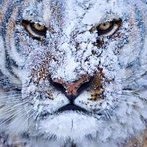
2g4mc3.jpg


NOPE ... cos I'd rather poke both my eyes out


Topic of the day: Sunday Slang Fest

Edited by notsmokinjo

NOPE...

tumblr_nmt7ofIraZ1uq2n6jo1_500.gif


Edited by catlover

NOPE

nope-smartphone-animated-gif.gif

Join the conversation

You can post now and register later. If you have an account, sign in now to post with your account.

Guest
Reply to this topic...

Account

Navigation

Search

Search

Configure browser push notifications

Chrome (Android)
  1. Tap the lock icon next to the address bar.
  2. Tap Permissions → Notifications.
  3. Adjust your preference.
Chrome (Desktop)
  1. Click the padlock icon in the address bar.
  2. Select Site settings.
  3. Find Notifications and adjust your preference.