




QuittingGirl
Moderators
-
Joined
-
Last visited
Everything posted by QuittingGirl
-
-
-
Congratulations @Pilgrim on one month!! 🎉 You are on your way. Just keep doing what you are doing and you will make it. Slow and steady wins the race! Onward to month two!

-
NOPE!!
-
-
-
-
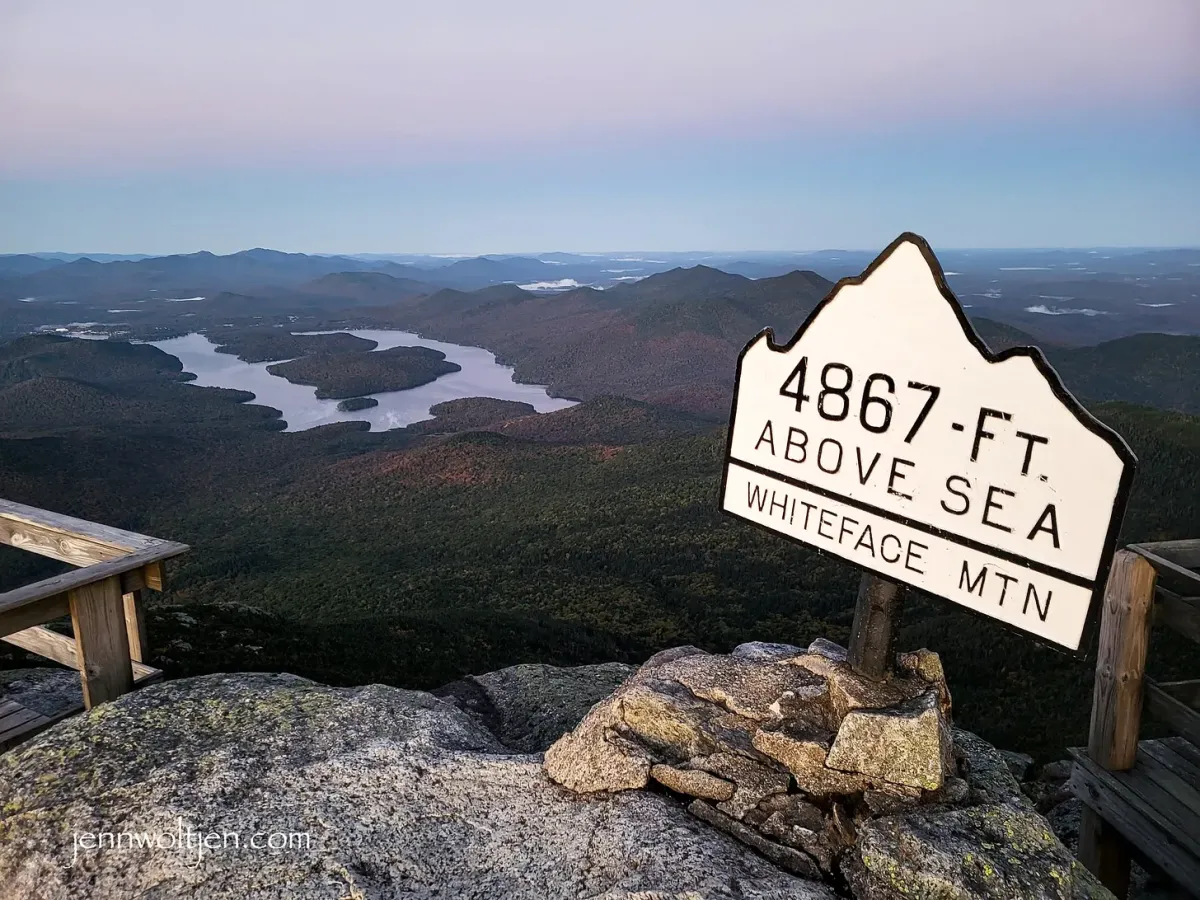
NOPE!! Whiteface Mountain, Adirondack Range Upstate NY. I climbed to the summit when I was 15, many moons ago!😮

-
Glad you are home now Stew! Those cravings will go away, you know that, so just stick with it and come on here every day, if you can! You know the drill. You will do it!!💪👍NOPE!!NOPE!!






Important Information
Account
Navigation
Search
Configure browser push notifications
Chrome (Android)
- Tap the lock icon next to the address bar.
- Tap Permissions → Notifications.
- Adjust your preference.
Chrome (Desktop)
- Click the padlock icon in the address bar.
- Select Site settings.
- Find Notifications and adjust your preference.
Safari (iOS 16.4+)
- Ensure the site is installed via Add to Home Screen.
- Open Settings App → Notifications.
- Find your app name and adjust your preference.
Safari (macOS)
- Go to Safari → Preferences.
- Click the Websites tab.
- Select Notifications in the sidebar.
- Find this website and adjust your preference.
Edge (Android)
- Tap the lock icon next to the address bar.
- Tap Permissions.
- Find Notifications and adjust your preference.
Edge (Desktop)
- Click the padlock icon in the address bar.
- Click Permissions for this site.
- Find Notifications and adjust your preference.
Firefox (Android)
- Go to Settings → Site permissions.
- Tap Notifications.
- Find this site in the list and adjust your preference.
Firefox (Desktop)
- Open Firefox Settings.
- Search for Notifications.
- Find this site in the list and adjust your preference.