



SD2026
Members
-
Joined
-
Last visited
Everything posted by SD2026
-
-
"Inspired by a real life neighbour" Yikes!😂 Great bassline!
-
-
-
NOPE! 💫
-
NOPE!💫NOPE! 💫Uinta Ground Squirrel
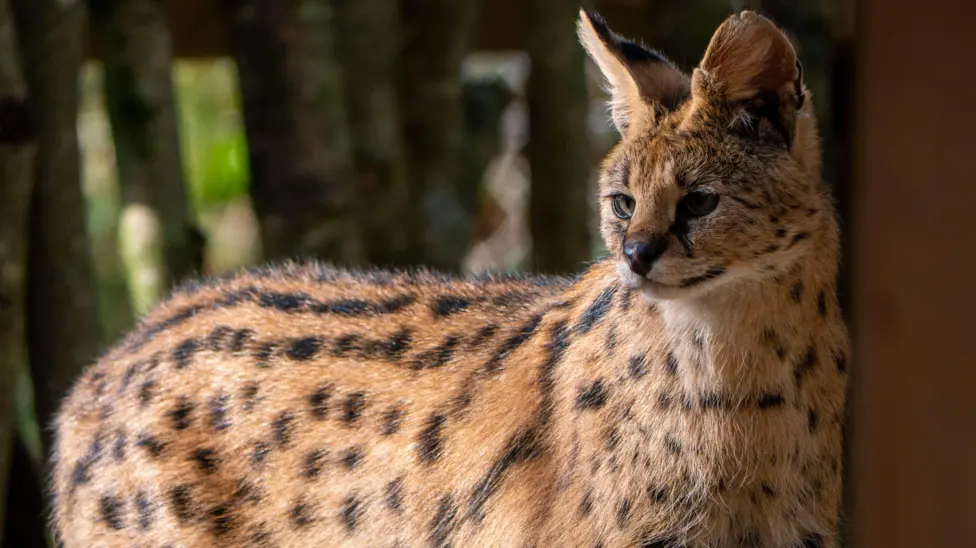
 Love this! 😊What a lovely pic to see on a Monday morning! Their orange markings are really showing now! 🥰Well done on disposing of your paraphernalia @Pilgrim If, or more accurately WHEN 😑 you feel the urge to smoke/vape gets too much, please do post here. Continue with the daily pledge, it'll set you up in a positive mind frame, it does for me anything and hopefully it will for you too! We're all rooting for you, believe in yourself. The days you feel weak, post here and fight it!





Important Information
Account
Navigation
Search
Configure browser push notifications
Chrome (Android)
- Tap the lock icon next to the address bar.
- Tap Permissions → Notifications.
- Adjust your preference.
Chrome (Desktop)
- Click the padlock icon in the address bar.
- Select Site settings.
- Find Notifications and adjust your preference.
Safari (iOS 16.4+)
- Ensure the site is installed via Add to Home Screen.
- Open Settings App → Notifications.
- Find your app name and adjust your preference.
Safari (macOS)
- Go to Safari → Preferences.
- Click the Websites tab.
- Select Notifications in the sidebar.
- Find this website and adjust your preference.
Edge (Android)
- Tap the lock icon next to the address bar.
- Tap Permissions.
- Find Notifications and adjust your preference.
Edge (Desktop)
- Click the padlock icon in the address bar.
- Click Permissions for this site.
- Find Notifications and adjust your preference.
Firefox (Android)
- Go to Settings → Site permissions.
- Tap Notifications.
- Find this site in the list and adjust your preference.
Firefox (Desktop)
- Open Firefox Settings.
- Search for Notifications.
- Find this site in the list and adjust your preference.