.jpg.a9e46c6cb2f18787e7dfc6d406814f59.jpg)
Rozuki
Members
-
Joined
-
Last visited
Everything posted by Rozuki
-
NOPE
 Thanks, Peter....sometimes you need to be reminded to keep things in perspective!Hi Peter_is_in! Welcome aboard the Q train! I joined QSMB when I first quit....and came over here when that ceased to exist. Helping is a good thing! ?NOPE
 NOPEThis is what I had at my retirement dinner last night! I am off to a friend's retirement party tonight....but that is going to be appetizers at a local bar during happy hour....which is fine by me! ?
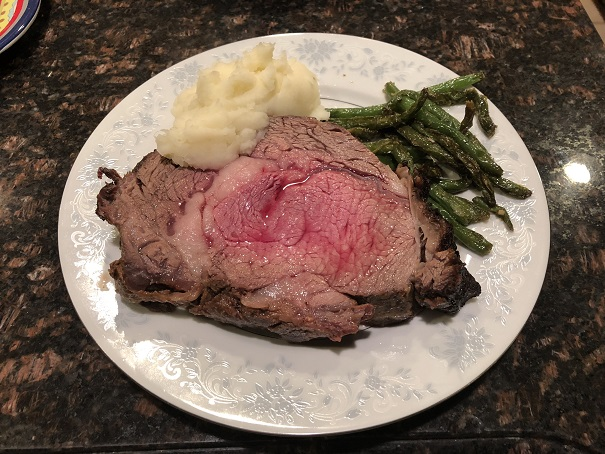 NOPEJust came from my retirement dinner! It was small (my choice!) but the people I worked with who matter to me were there....and had some very nice things to say about working for and with me....another chapter in my book has ended...it's exciting and scary at the same time....sort of like when I quit smoking! ? PS. There were only 2 people there that smoke and they had to go out in the pouring rain!!! ?Congrats, LAD! Seven years quit is a sensational milestone! So many of us have QSMB to thank for where we are today...including me...and to QT for keeping us on track! Celebrate and KTQ! ?NOPENOPE
 NOPE
NOPE Wow! These are incredible! We have the single digit temps here by me....along w wind, but I am not near water....but brrrrr! It's cold!
Important Information
Account
Navigation
Search
Configure browser push notifications
Chrome (Android)
- Tap the lock icon next to the address bar.
- Tap Permissions → Notifications.
- Adjust your preference.
Chrome (Desktop)
- Click the padlock icon in the address bar.
- Select Site settings.
- Find Notifications and adjust your preference.
Safari (iOS 16.4+)
- Ensure the site is installed via Add to Home Screen.
- Open Settings App → Notifications.
- Find your app name and adjust your preference.
Safari (macOS)
- Go to Safari → Preferences.
- Click the Websites tab.
- Select Notifications in the sidebar.
- Find this website and adjust your preference.
Edge (Android)
- Tap the lock icon next to the address bar.
- Tap Permissions.
- Find Notifications and adjust your preference.
Edge (Desktop)
- Click the padlock icon in the address bar.
- Click Permissions for this site.
- Find Notifications and adjust your preference.
Firefox (Android)
- Go to Settings → Site permissions.
- Tap Notifications.
- Find this site in the list and adjust your preference.
Firefox (Desktop)
- Open Firefox Settings.
- Search for Notifications.
- Find this site in the list and adjust your preference.
.thumb.jpg.e5a96502c15b934599b4a498e2701635.jpg)