



.jpg.a9e46c6cb2f18787e7dfc6d406814f59.jpg)
Rozuki
Members
-
Joined
-
Last visited
Everything posted by Rozuki
-
-
-
-
-
-
-
-
-
Congrats, Wee! I remember when you first started on this journey and here you are almost on the Lido Deck!! Celebrate and KTQ!

-
-
-
-
NOPE

-
-
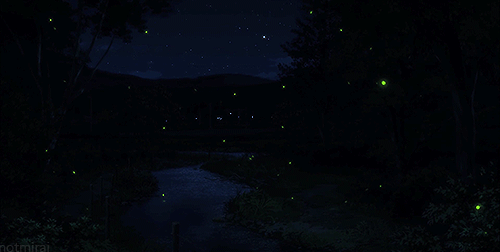
It is 8:49 pm and pitch black here on Long Island, New York, USA. Lots of lightning bugs out and about tonight!
 lol....this is why I don't play this game very often!!!! hard to keep up!Oh I see the chicks blasted through! Whew.....my head was spinning ...had to step out for a few minutes!
.thumb.jpg.e5a96502c15b934599b4a498e2701635.jpg)







Important Information
Account
Navigation
Search
Configure browser push notifications
Chrome (Android)
- Tap the lock icon next to the address bar.
- Tap Permissions → Notifications.
- Adjust your preference.
Chrome (Desktop)
- Click the padlock icon in the address bar.
- Select Site settings.
- Find Notifications and adjust your preference.
Safari (iOS 16.4+)
- Ensure the site is installed via Add to Home Screen.
- Open Settings App → Notifications.
- Find your app name and adjust your preference.
Safari (macOS)
- Go to Safari → Preferences.
- Click the Websites tab.
- Select Notifications in the sidebar.
- Find this website and adjust your preference.
Edge (Android)
- Tap the lock icon next to the address bar.
- Tap Permissions.
- Find Notifications and adjust your preference.
Edge (Desktop)
- Click the padlock icon in the address bar.
- Click Permissions for this site.
- Find Notifications and adjust your preference.
Firefox (Android)
- Go to Settings → Site permissions.
- Tap Notifications.
- Find this site in the list and adjust your preference.
Firefox (Desktop)
- Open Firefox Settings.
- Search for Notifications.
- Find this site in the list and adjust your preference.