Reciprocity
Members
-
Joined
-
Last visited
Everything posted by Reciprocity
-
-
-
Nope!
-
-
-
Nope!Nope!Nope!Yup! These weather "anomalies" are more and more becoming the norm😧 The remnants of The storm that hit Florida last weekend dumped a couple hundred mm's (8") of rain on Montreal yesterday in a few hours. It just missed us to the east by a sliver; thank goodness 🙏 Parking lot in a Montreal suburb; last night 😲
 Good to see you're still here on the QUIT Train @Vuk Keep pushing forward and envision all the benefits you're already enjoying. It only gets better! Nope!Congrats @Doreensfree 11 years quit is amazing and those smoke free years will keep adding up because I know you won't ever smoke again. Hope you found time to reflect & celebrate today 😉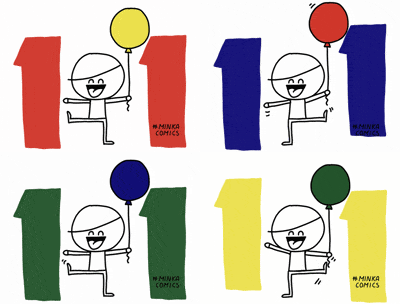
Important Information
Account
Navigation
Search
Configure browser push notifications
Chrome (Android)
- Tap the lock icon next to the address bar.
- Tap Permissions → Notifications.
- Adjust your preference.
Chrome (Desktop)
- Click the padlock icon in the address bar.
- Select Site settings.
- Find Notifications and adjust your preference.
Safari (iOS 16.4+)
- Ensure the site is installed via Add to Home Screen.
- Open Settings App → Notifications.
- Find your app name and adjust your preference.
Safari (macOS)
- Go to Safari → Preferences.
- Click the Websites tab.
- Select Notifications in the sidebar.
- Find this website and adjust your preference.
Edge (Android)
- Tap the lock icon next to the address bar.
- Tap Permissions.
- Find Notifications and adjust your preference.
Edge (Desktop)
- Click the padlock icon in the address bar.
- Click Permissions for this site.
- Find Notifications and adjust your preference.
Firefox (Android)
- Go to Settings → Site permissions.
- Tap Notifications.
- Find this site in the list and adjust your preference.
Firefox (Desktop)
- Open Firefox Settings.
- Search for Notifications.
- Find this site in the list and adjust your preference.