Skip to content
View in the app

A better way to browse. Learn more.

Quit Train, A Quit Smoking Support Community

A full-screen app on your home screen with push notifications, badges and more.

To install this app on iOS and iPadOS
  1. Tap the Share icon in Safari
  2. Scroll the menu and tap Add to Home Screen.
  3. Tap Add in the top-right corner.
To install this app on Android
  1. Tap the 3-dot menu (⋮) in the top-right corner of the browser.
  2. Tap Add to Home screen or Install app.
  3. Confirm by tapping Install.

QuittingGirl

Moderators
  • Joined

  • Last visited

Everything posted by QuittingGirl

  1. LOL!! The chicken in the bikini!!🤣🤣 NOPE!!
  2. QuittingGirl replied to bakon's topic in Games
    3
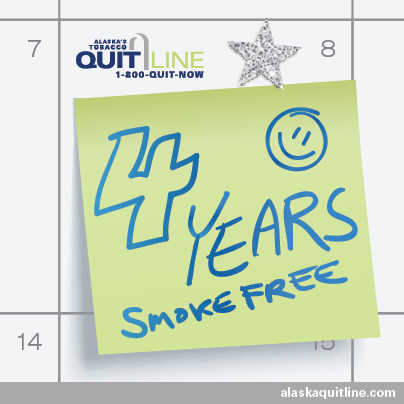
  3. Congratulations @Mona on 4 years smoke free! That is an amazing accomplishment! Treat yourself to something special. I hope you come back on soon to celebrate.
  4. QuittingGirl replied to bakon's topic in Games
    5
  5. QuittingGirl replied to bakon's topic in Games
    4
  6. QuittingGirl replied to bakon's topic in Games
    4
  7. So glad to hear that it went well this time and hopefully for the rest of the sessions!👍
  8. QuittingGirl replied to bakon's topic in Games
    -5
  9. QuittingGirl replied to bakon's topic in Games
    -3
  10. QuittingGirl replied to bakon's topic in Games
    -3
  11. QuittingGirl replied to bakon's topic in Games
    -2
  12. QuittingGirl replied to bakon's topic in Games
    -2
  13. You are doing great @JoJo Just remember the longer you don't smoke, the more the cravings will go away! You got this!!👍
  14. So sorry you had a bad reaction Reci. Hopefully the next treatment won't be as bad.🙏🤞 Relax as much as you can. We are all here pulling for you!!
  15. QuittingGirl replied to bakon's topic in Games
    -4
  16. QuittingGirl replied to bakon's topic in Games
    -5
  17. QuittingGirl replied to bakon's topic in Games
    -4
  18. QuittingGirl replied to bakon's topic in Games
    -6
  19. QuittingGirl replied to bakon's topic in Games
    -6

Account

Navigation

Search

Search

Configure browser push notifications

Chrome (Android)
  1. Tap the lock icon next to the address bar.
  2. Tap Permissions → Notifications.
  3. Adjust your preference.
Chrome (Desktop)
  1. Click the padlock icon in the address bar.
  2. Select Site settings.
  3. Find Notifications and adjust your preference.