All Activity
Past hour
-
-
@Doreensfree the IPS software automatically locks HUGE topics like this one and creates a part 2 version. The old software did the same thing, but I don't think any other single topic has had over 5,000 pages.
Today
-
Check, now. Should be fixed.
Yesterday
-
I'll take a look now. Thanks for mentioning it.
-
-
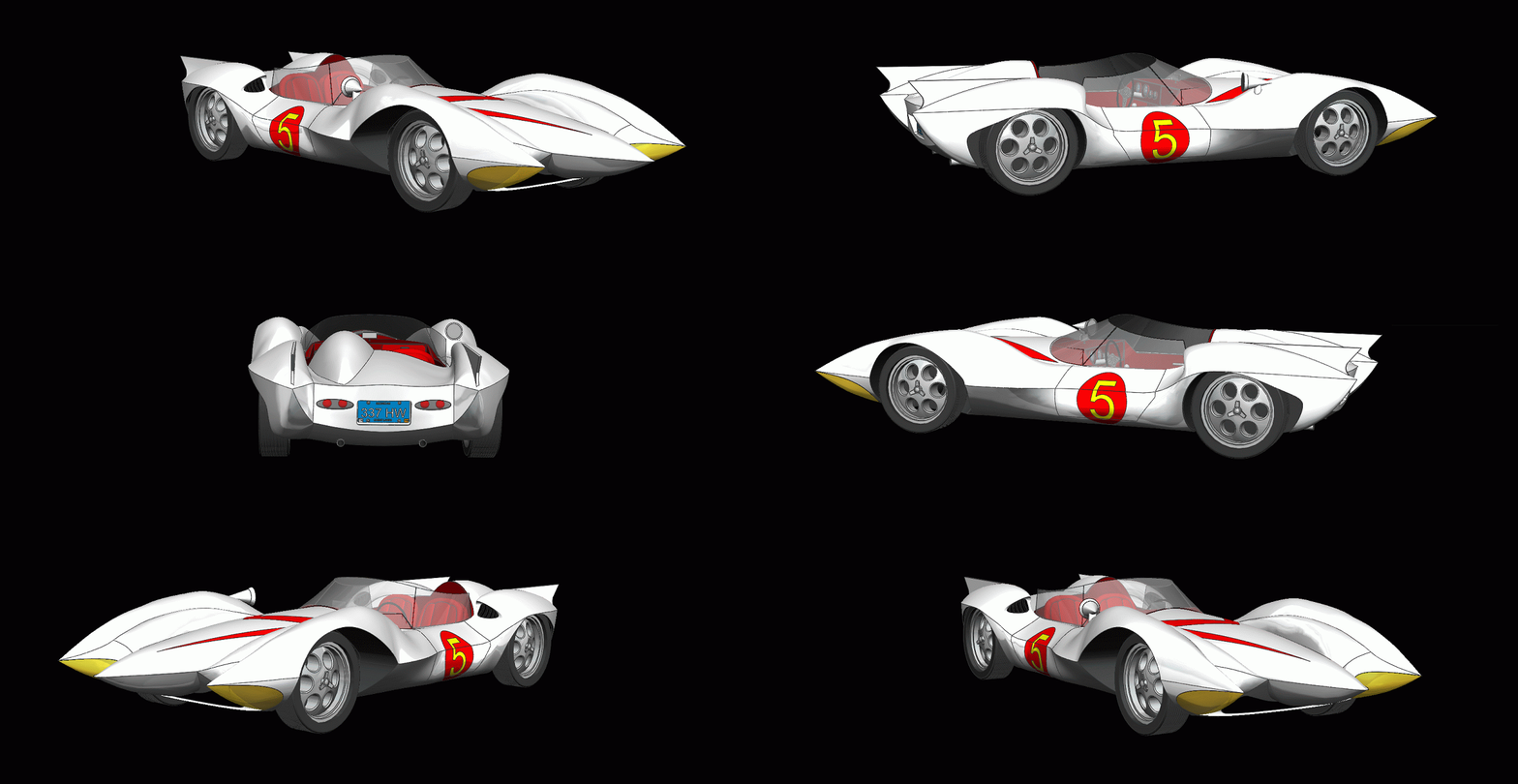
My favorite cartoon as a kid Speed Racer and the Mach 5
-
N.O.P.E. 🙏
-
There are a few glitches, the Logon/Logoff buttons aren't there, neither are the messaging and many other things, but eventually everything will be fixed. Unfortunately, computer stuff takes a lot of time! 🙄
-
Gday Literally in the last week. They are just tidying up the last odds and ends. Same mismatch mob still catching a ride.
-
-
NOPE! Not One Puff Ever SNOTT! Smoking's Not On The Table
-
-
Tomorrow will be 3 months and 6 days of NOPE!! Also sucks at .0052% as a non smoker. +- ?
-
-
NOPE for today!
-
Wow that is beautiful @Reciprocity My mom was up by Banff many years ago and she told me just how beauituful it is. NOPE!!
-
-
Nope! Moraine Lake; Banff National Park, Alberta; Canada

-
NOPE
-
-
NOPE!
-
G’day NOPE .....Not One Puff Ever.

-
-
-