Skip to content
View in the app

A better way to browse. Learn more.

Quit Train, A Quit Smoking Support Community

A full-screen app on your home screen with push notifications, badges and more.

To install this app on iOS and iPadOS
  1. Tap the Share icon in Safari
  2. Scroll the menu and tap Add to Home Screen.
  3. Tap Add in the top-right corner.
To install this app on Android
  1. Tap the 3-dot menu (⋮) in the top-right corner of the browser.
  2. Tap Add to Home screen or Install app.
  3. Confirm by tapping Install.

All Activity

This stream auto-updates

  1. Past hour

  2. G’day NOPE .....Not One Puff Ever.
  3. Today

  4. Wow !!! 14 years for the fat cop 😁 Huge Congratulations, hope to hear from you soon We still miss you around here 🐸
  5. Good job breakfast meat!
  6. Thanks @notsmokinjo , I wanted to make a chicken sausage recipe using an Australian version of dukkah (I've already done one with the Egyptian version).
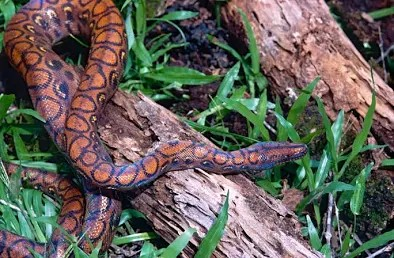
  7. Regenboogboa
  8. Wow!! 14 years. Congratulations.
  9. I am not going to smoke today. NOPE.
  10. Attaway @bakon!! Hope you’re doing great.
  11. N.O.P.E. 🙏
  12. NOPE!! for tomorrow . And back to the cabin.
  13. NOPE!! for tonight.
  14. Yesterday

  15. Welcome @Unome and I'm sorry you're going through a hard time on Chantix. I don't have any experience with this but I recommend you have a chat with your doctor about any side effects. Quitting is very hard in the beginning but it's a battle worth fighting through!

Account

Navigation

Search

Search

Configure browser push notifications

Chrome (Android)
  1. Tap the lock icon next to the address bar.
  2. Tap Permissions → Notifications.
  3. Adjust your preference.
Chrome (Desktop)
  1. Click the padlock icon in the address bar.
  2. Select Site settings.
  3. Find Notifications and adjust your preference.