




AceWhite
Members
-
Joined
-
Last visited
Everything posted by AceWhite
-
-
-
-
-
-
-
-
-
NOPE!
-
-
-
-
-
-
Some days are tough & we have all thought wtf in those weak moments but choose to honor our quit That is what NOPE is all about NOPE i had one of those days and ya’all kept me strong Thank you CBDave
-
-
-
-
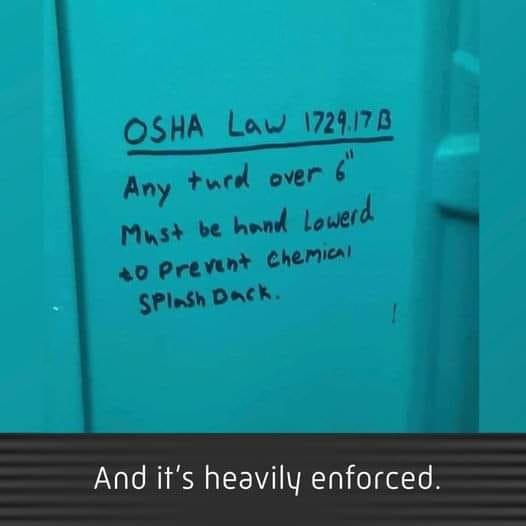
I mean how often can you use your plumber meme's???
.jpg.89eb1a2a905edbc3fc44a3828d6e3dbf.jpg)
 thought I knew english-






Important Information
Account
Navigation
Search
Configure browser push notifications
Chrome (Android)
- Tap the lock icon next to the address bar.
- Tap Permissions → Notifications.
- Adjust your preference.
Chrome (Desktop)
- Click the padlock icon in the address bar.
- Select Site settings.
- Find Notifications and adjust your preference.
Safari (iOS 16.4+)
- Ensure the site is installed via Add to Home Screen.
- Open Settings App → Notifications.
- Find your app name and adjust your preference.
Safari (macOS)
- Go to Safari → Preferences.
- Click the Websites tab.
- Select Notifications in the sidebar.
- Find this website and adjust your preference.
Edge (Android)
- Tap the lock icon next to the address bar.
- Tap Permissions.
- Find Notifications and adjust your preference.
Edge (Desktop)
- Click the padlock icon in the address bar.
- Click Permissions for this site.
- Find Notifications and adjust your preference.
Firefox (Android)
- Go to Settings → Site permissions.
- Tap Notifications.
- Find this site in the list and adjust your preference.
Firefox (Desktop)
- Open Firefox Settings.
- Search for Notifications.
- Find this site in the list and adjust your preference.