Skip to content
View in the app

A better way to browse. Learn more.

Quit Train, A Quit Smoking Support Community

A full-screen app on your home screen with push notifications, badges and more.

To install this app on iOS and iPadOS
  1. Tap the Share icon in Safari
  2. Scroll the menu and tap Add to Home Screen.
  3. Tap Add in the top-right corner.
To install this app on Android
  1. Tap the 3-dot menu (⋮) in the top-right corner of the browser.
  2. Tap Add to Home screen or Install app.
  3. Confirm by tapping Install.

catlover

Members
  • Joined

  • Last visited

Everything posted by catlover

  1. catlover replied to Colleen's topic in Games
    Pick choose
  2. catlover replied to Colleen's topic in Games
    Barcode chisel
  3. Alert
  4. catlover replied to beazel's topic in Games
    Bitch
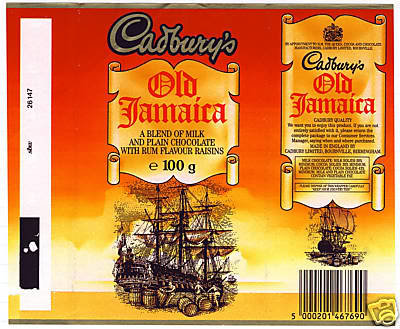
  5. Rum and raisin chocolate....... BRING IT BACK!!!
  6. catlover replied to Colleen's topic in Games
    Lupin
  7. Party time y,all
  8. catlover replied to Colleen's topic in Games
    Me time
  9. catlover replied to Colleen's topic in Games
    Critter robust
  10. catlover replied to Colleen's topic in Games
    Wheel tyre
  11. catlover replied to Colleen's topic in Games
    Over indulge
  12. catlover replied to Colleen's topic in Games
    Marigold
  13. Perky
  14. catlover replied to Colleen's topic in Games
    Estuary
  15. Promise
  16. catlover replied to Colleen's topic in Games
    ^^^ is that whisky? mark down
  17. Wowsers 6 months already! What an amazing quit you got going on...... Thanks for all the fun you bring here too, it keeps us all smilin .. Celebrate big time!
  18. Thankyou yes ... Could do with a little extra love today..just a bit extra stress with the mother in law. I,m all good though x
  19. keep eating doughnuts
  20. catlover replied to Colleen's topic in Games
    bus stop
  21. job
  22. catlover replied to Colleen's topic in Games
    Macular Enterprise

Account

Navigation

Search

Search

Configure browser push notifications

Chrome (Android)
  1. Tap the lock icon next to the address bar.
  2. Tap Permissions → Notifications.
  3. Adjust your preference.
Chrome (Desktop)
  1. Click the padlock icon in the address bar.
  2. Select Site settings.
  3. Find Notifications and adjust your preference.