


BAT
Members
-
Joined
-
Last visited
Everything posted by BAT
-
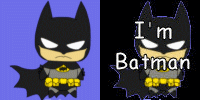
I may take a nap because "I'm Batman"
-
Welcome to the QT. We are here for you, so quit and be happy and healthy. Be done with it. NOPE :) :) :)Where's Chuck Norris when you need him?4 makes everything correct .... ran it through the Bat Computer ;)#2 is the lie.Good to see you Joe :)Welcome to the QT K and congratulations on your decision to quit. Stay positive and keep close to the boards and post as much as you need to. We be here for ya :)


Important Information
Account
Navigation
Search
Configure browser push notifications
Chrome (Android)
- Tap the lock icon next to the address bar.
- Tap Permissions → Notifications.
- Adjust your preference.
Chrome (Desktop)
- Click the padlock icon in the address bar.
- Select Site settings.
- Find Notifications and adjust your preference.
Safari (iOS 16.4+)
- Ensure the site is installed via Add to Home Screen.
- Open Settings App → Notifications.
- Find your app name and adjust your preference.
Safari (macOS)
- Go to Safari → Preferences.
- Click the Websites tab.
- Select Notifications in the sidebar.
- Find this website and adjust your preference.
Edge (Android)
- Tap the lock icon next to the address bar.
- Tap Permissions.
- Find Notifications and adjust your preference.
Edge (Desktop)
- Click the padlock icon in the address bar.
- Click Permissions for this site.
- Find Notifications and adjust your preference.
Firefox (Android)
- Go to Settings → Site permissions.
- Tap Notifications.
- Find this site in the list and adjust your preference.
Firefox (Desktop)
- Open Firefox Settings.
- Search for Notifications.
- Find this site in the list and adjust your preference.