




Stewbum
Members
-
Joined
Everything posted by Stewbum
-
NOPE!!. Not smoking from the top end,,,, but smokin a little from the bottom!!!! Come on ice cream! Personally ate 15# of crawfish along with and a shrimp Po'boy and the list snacked on. KTQ. Cheers from Slidell, Stew.
-
12 One more sticker before my flight.... The Crawfish are callin...
-
NOPE!! My next nope will be between crawfish feasts in New Ahlens... KTQ. Cheers.... Stew.
-
NOPE!! To New Ahlens.
-
NOPE!!
-
NOPE!!
-
8 Looks like a battle of the sexes ! Iam in....
-
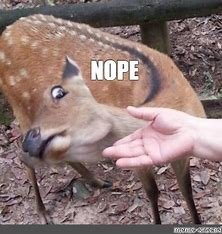
NOPE!! Five days left to New Orleans and a buttload of Crawfish!! Whoever is doing the tornado dance can stop now please....NOPE!!My feet today!!
 NOPE!!NOPE!!





Important Information
Account
Navigation
Search
Configure browser push notifications
Chrome (Android)
- Tap the lock icon next to the address bar.
- Tap Permissions → Notifications.
- Adjust your preference.
Chrome (Desktop)
- Click the padlock icon in the address bar.
- Select Site settings.
- Find Notifications and adjust your preference.
Safari (iOS 16.4+)
- Ensure the site is installed via Add to Home Screen.
- Open Settings App → Notifications.
- Find your app name and adjust your preference.
Safari (macOS)
- Go to Safari → Preferences.
- Click the Websites tab.
- Select Notifications in the sidebar.
- Find this website and adjust your preference.
Edge (Android)
- Tap the lock icon next to the address bar.
- Tap Permissions.
- Find Notifications and adjust your preference.
Edge (Desktop)
- Click the padlock icon in the address bar.
- Click Permissions for this site.
- Find Notifications and adjust your preference.
Firefox (Android)
- Go to Settings → Site permissions.
- Tap Notifications.
- Find this site in the list and adjust your preference.
Firefox (Desktop)
- Open Firefox Settings.
- Search for Notifications.
- Find this site in the list and adjust your preference.